01 / STRUCTURE
Everything has a place.
Keep projects separated into Spaces and Workspaces, with saved tabs and groups right where you expect them.
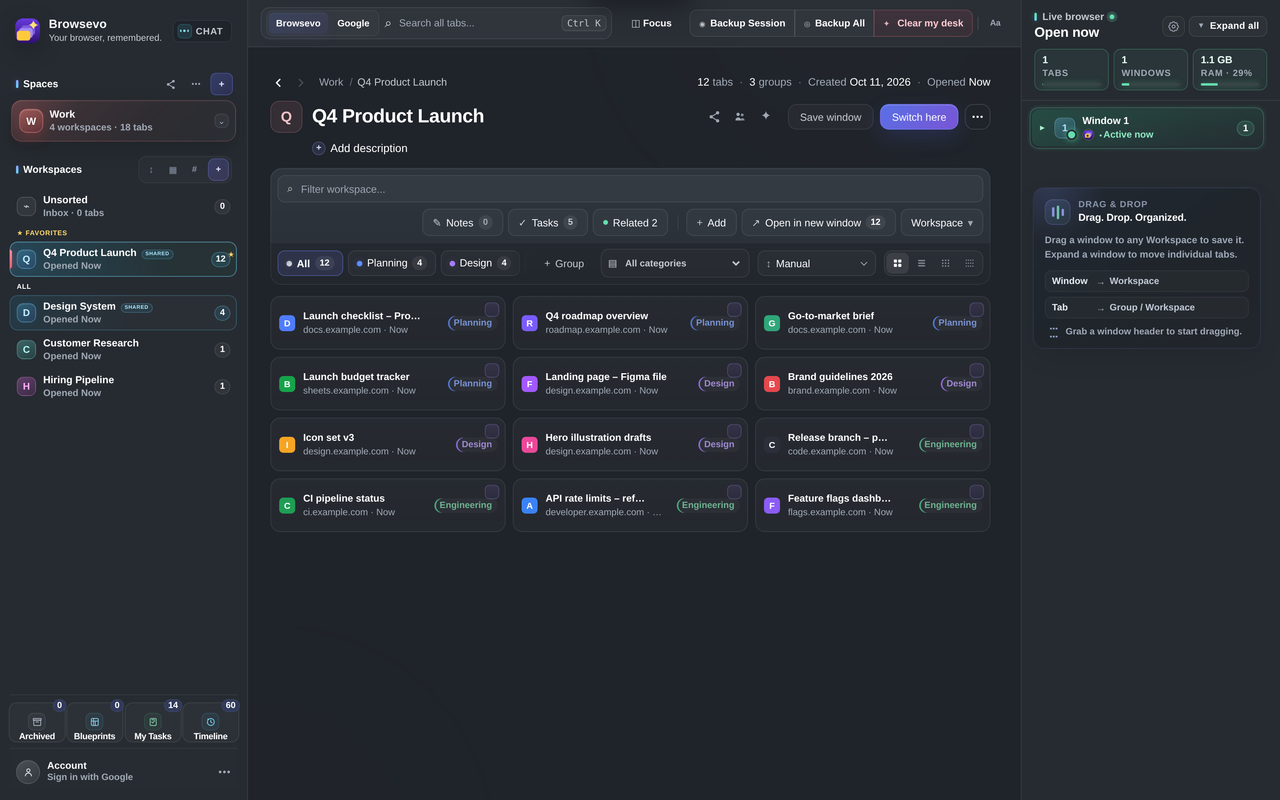
Save tabs and windows, organize projects in Spaces and Workspaces, keep tasks and context close, and return to work without starting over.
Available on the Chrome Web Store Opens the official extension listing
Actual Browsevo interface · screenshot supplied by the creator
↗ Click or tap the screenshot to explore the details
Keep projects separated into Spaces and Workspaces, with saved tabs and groups right where you expect them.
See Open Now alongside your saved project so your active browser and your organized work stay connected.
MADE TO HANDLE
BUILT FOR THE WAY YOU THINK
Move beyond endless tab strips. Keep the right things together and make it easier to start, pause, and return.
Organize workspaces by project, purpose or mood. Give everything a home without giving up flexibility.
Find past sessions and revisit what you were working on instead of rebuilding the trail.
Save a window setup and restore your workspace when it's time to continue.
Keep related tabs together and add useful context so you know why you saved them.
Review backup health, explore recovery tools and manage saved collections.
Create a common workspace for shared research and projects, with collaboration controls.
BEHIND THE PRODUCT
Explore the actual extension — nine original screenshots, from Workspaces and AI to Tasks, Timeline, and Backups.
01 / WORKSPACES
Save tabs and keep projects organized with Groups, Spaces, and a live view of what is open.
Original screenshots from the provided Browsevo build. Click any image to view it larger.
Like what you see? Bring Browsevo into your own browser.
Add to ChromeA LIGHTER WAY TO WORK
A simple workflow: save what matters, organize it your way, and find it again when you need it.
Bring your current tabs and windows into a Workspace — with the project context you want to keep.
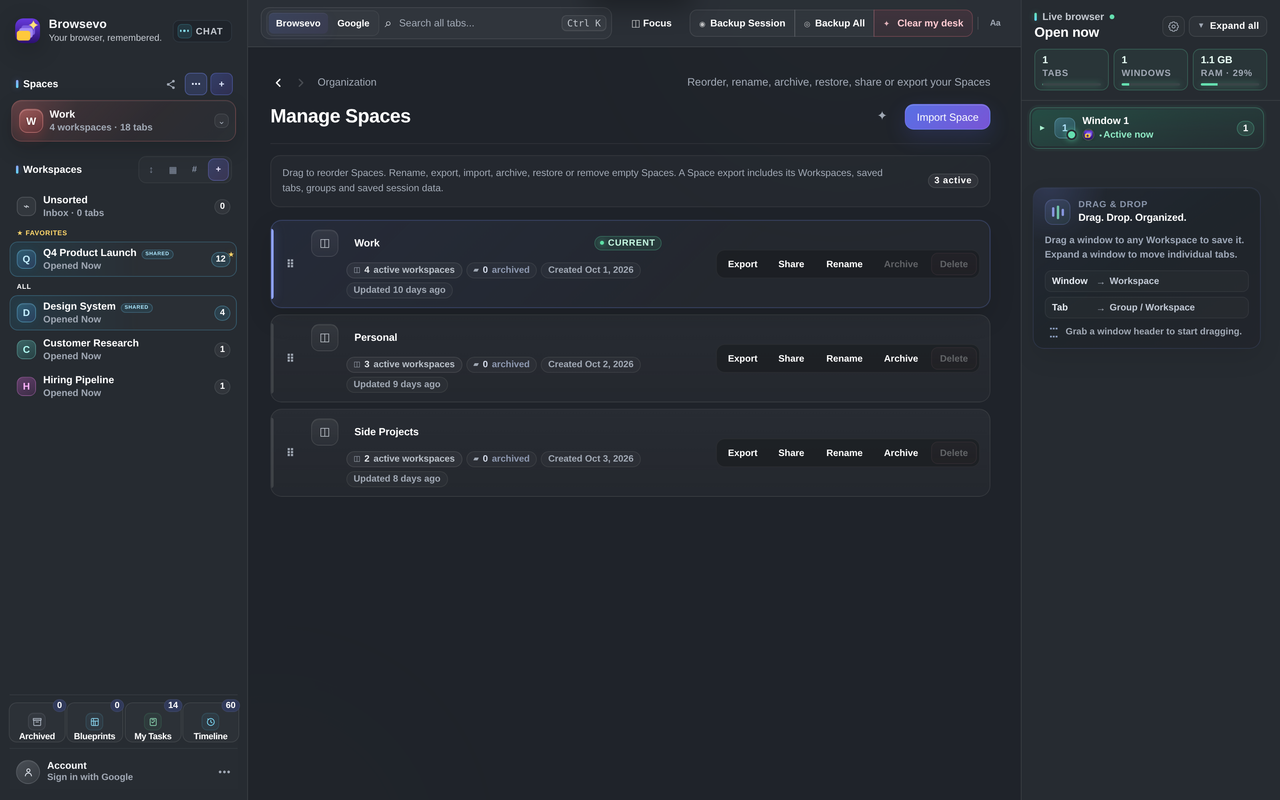
Use Spaces, Groups, tags and notes to make your saved tabs easier to navigate.
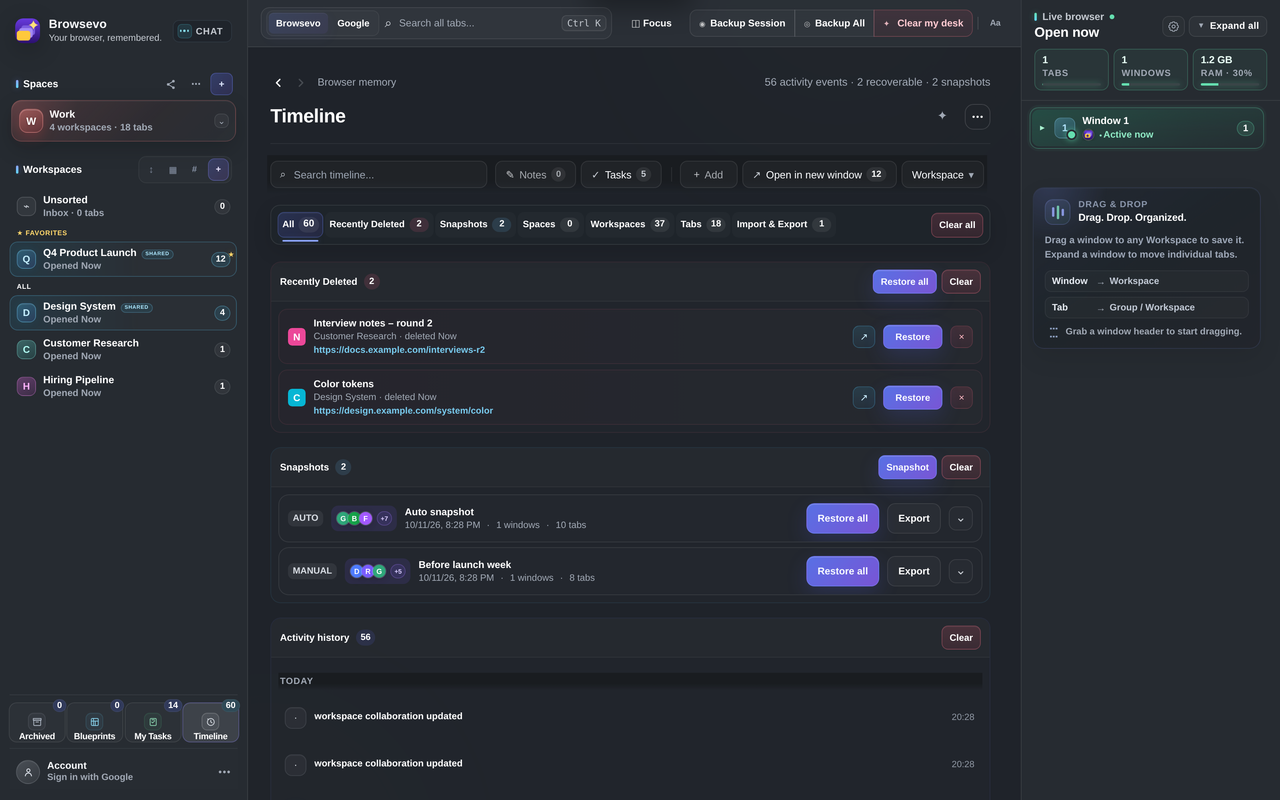
Return to saved work and use the Timeline to revisit earlier activity.
Your browser should support your thinking. Not interrupt it.
LESS CLUTTER. MORE MOMENTUM.
GOOD TO KNOW
Browsevo is a Chrome workspace manager that brings tabs, saved windows, Spaces, Workspaces, notes, tasks and collaboration tools into one interface.
Yes. Browsevo has a Chrome Web Store listing. Use the Add to Chrome button on this page to open it.
Browsevo is available as a Chrome extension. Support for other browsers has not been announced.
Browsevo includes import and export tools, including a selectable import preview for Spaces and Workspaces. See the extension listing for current details.
Browsevo includes a Collaboration interface for shared workspaces. Check the Chrome Web Store listing for the current feature details.
✦ AVAILABLE FOR CHROME
Ready to make more of your browser? Open the official Browsevo listing in the Chrome Web Store and add the extension to Chrome.
Official Chrome Web Store listing · Installation is completed through Google's Chrome Web Store.